 IsoDelve
Home › Map Maker
Early version, open now. No sign-in needed: your maps are saved in your browser. Accounts and a saved library are on the way.
The IsoDelve Map Maker
A free web app for game masters: draw rooms and corridors on a grid or generate a whole dungeon, add doors, secret doors, stairs and furniture, then download it as a PNG for the table or JSON for your VTT. No code, no API key.
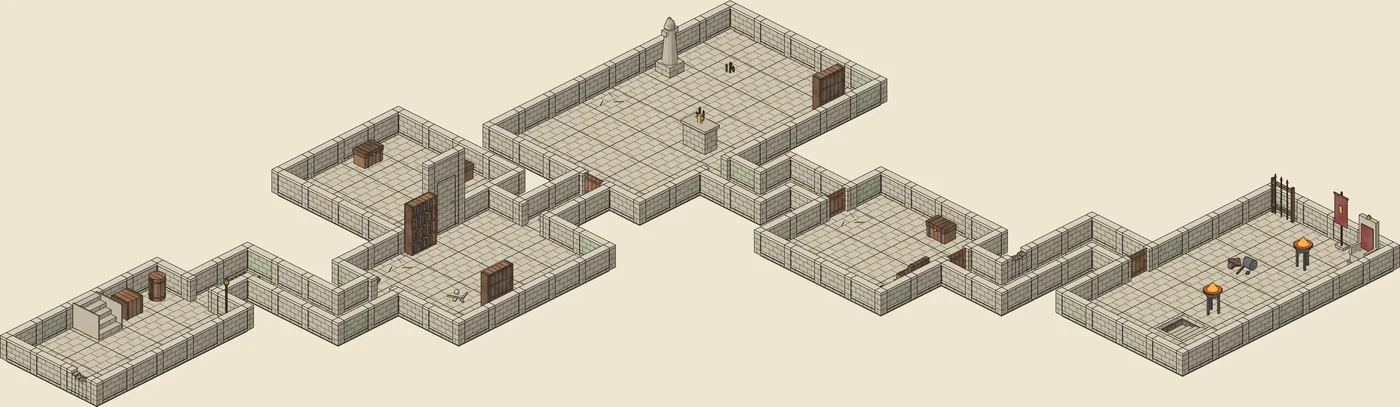
crypt-7).Two ways to use IsoDelve
Map Maker (this page)
For people. Draw or generate, edit and export, right in your browser. Free for personal use. Open it now.
Developer API
For software. Call the REST API with a key from your own app, VTT or bot. Free tier plus paid plans. API docs.
What the Map Maker does
- Draw on a grid: drag out rooms, paint corridors, place walls, doors, secret doors and stairs, and stamp furniture and props from the Ink Stone set. Undo, redo, select and move are all there, with one-key shortcuts.
- Generate a dungeon with simple controls: size, number of rooms, party level, secret rooms and doors, clues, furniture, wear and a seed you can reuse. Then edit any part of it.
- Preview top-down or isometric, and rotate between the four isometric angles, with short walls by default so you can see into every room, or full-height walls.
- Switch between the GM view, which shows secret doors and rooms, and the players' view, which hides them.
- Export full-map PNGs of the top-down view and every isometric angle, on any background colour or a transparent one, or the map JSON for a VTT or your own tools.
- Save maps in your browser now; an account library with thumbnails is coming.
What "free for personal use" means
Generating, saving, editing and exporting maps for your own games is free, including the Ink Stone art pack, which is free for everyone forever. Personal use covers running games for your own group, in person or online, and sharing maps for free with the credit "Map art by IsoDelve". Selling maps or putting them in paid products will need a paid plan, and additional art packs will only come with paid plans. Exact limits and paid options will be published before launch on the pricing page.
Map Maker or API?
If you want maps for your own table, use the Map Maker: it needs no code. If you're building software that generates maps for other people, use the developer API today; the step-by-step developer guide shows everything from getting a key to drawing a map yourself.