 IsoDelve
Seeds and generator versions: getting the same dungeon every time
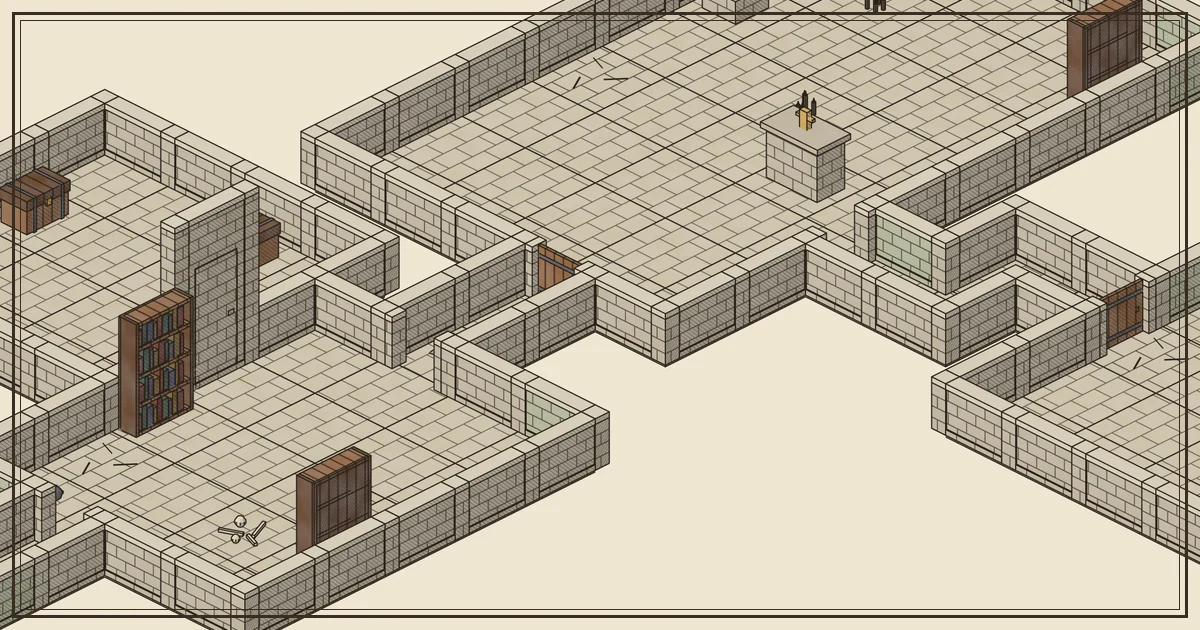
Procedural maps are only useful in a published adventure, a shared campaign or a test suite if you can get the same map back. IsoDelve is built around that guarantee: the same seed, parameters, generator version and art pack always produce the same map, byte for byte. This article explains what that means in practice and how to use it.
What a seed is
A seed is the starting value for the generator’s random choices. In IsoDelve it can be any string or number, such as "crypt-7" or "session-12-lower-vault". Every decision the generator makes (room positions, which room is the shrine, where the bed goes, whether a wall has crumbled) flows from that seed. Change one character and you get a different dungeon. Keep it and you get the same one.
If you leave the seed out, the API picks a random one and returns it in the map. Nothing is lost: the seed in the response is enough to rebuild that map later.
{ "seed": "crypt-7", "generatorVersion": "gen-1.2.0", "pack": "ink-stone@1.1.0",
  "params": { "theme": "crypt", "knobs": { "decay": 0.6, "secretRooms": 1, "clutter": 0.7 } } }
Why the generator version matters
The generator keeps improving. gen-1.1.0 made required props unique per room and kept large props clear of doors. gen-1.2.0 added secret rooms, wall decay, broken furniture and furniture groups. Each improvement changes the output for some seeds, so a seed alone is not enough to pin a map.
IsoDelve solves this the simple way: old generator versions stay available. If your map was made with gen-1.1.0, send "generatorVersion": "gen-1.1.0" and you get exactly that map, even though gen-1.2.0 is now the default. A new version is released whenever the output changes on purpose, so a given version never drifts.
The art pack follows the same rule. Packs are immutable once published: ink-stone@1.0.0 and ink-stone@1.1.0 are separate, frozen releases. The pack never affects the layout (only the generator version and seed do), but it decides which pieces exist. If you ask a newer generator to use an older pack that lacks some of its pieces, the API refuses with a clear 422 pack_incomplete error instead of drawing a broken map.
What to store
For any map you might need again, store four things:
seedgeneratorVersionparams(size, rooms, theme and the knobs)pack
All four are in every map response, so the easy approach is to save the whole params object along with the version and pack. That is a few hundred bytes per map, far smaller than an image.
Publishing an adventure with generated maps
If you sell or share an adventure that uses IsoDelve maps, reproducibility gives you some nice options:
- Print the recipe in an appendix. “Lower Vault: seed
lower-vault, gen-1.2.0, Ink Stone 1.1.0, 30 × 24.” Readers with an IsoDelve key can regenerate the map at any angle and scale, or load it into a VTT that supports the API. - Ship renders and the recipe together. Include the PNG for readers without a key and the recipe for those who want the interactive version.
- Pin versions. Always include
generatorVersion. A recipe without it may produce a different map after the next generator release.
Commercial use of generated maps (selling modules, paid VTT content, paywalled releases) needs a Creator plan or higher, with a credit line. See pricing for the details, and the art license for how the free Ink Stone art may be used.
Using seeds in software
Developers get the same benefits:
- Deterministic tests. Generate a map from a fixed seed in your test suite and compare it with a stored copy. If it changes, something in your pinning is wrong.
- Share links, not files. A VTT can store a scene as its seed and version and fetch the map on demand.
- Let players pick. Show three seeds as thumbnails and let the GM choose. Keep the chosen recipe; throw away the rest.
Tuning without losing a map
The knobs let you shape a dungeon without changing its seed: decay from 0 (pristine) to 1 (ruin), clutter from sparse to busy, secretRooms from 0 to 3. Changing a knob changes the map, so treat each combination as its own recipe. The header image on this page is seed crypt-7 with decay: 0.6 and clutter: 0.7. Any key holder can rebuild it with this call:
curl -s -X POST https://api.isodelve.com/v1/maps \
  -H "Authorization: Bearer $ISODELVE_KEY" -H "Content-Type: application/json" \
  -d '{"pack":"ink-stone@1.1.0","seed":"crypt-7","theme":"crypt","knobs":{"decay":0.6,"secretRooms":1,"clutter":0.7}}'
For the full list of parameters and generator versions, see the API docs.